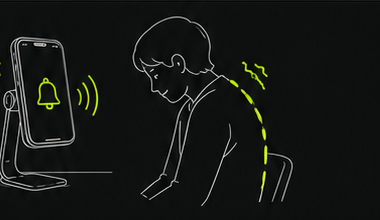
How it works
Set up Posturely for a clear view of your posture.
A stable iPhone stand, a visible upper body, and a few seconds of setup are all you need to begin a posture monitoring session.
- 01
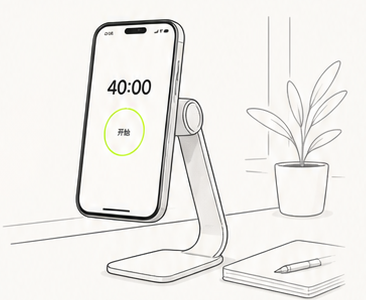
Place your iPhone on a desk stand
Use a stable stand rather than leaning the phone against a moving object. A steady camera position gives Posturely a more consistent view.
- 02
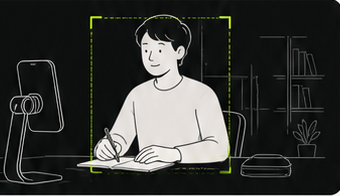
Frame your upper body
Position the device at a side-front angle. Posturely works best when your head, shoulders, and upper torso remain visible.
- 03
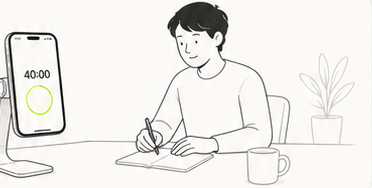
Start Posturely monitoring
Open the app and begin a session before starting your study, reading, or desk-work block.
- 04
Let the app analyze posture on device
During the session, Posturely processes camera frames locally to evaluate visible upper-body posture changes.
- 05
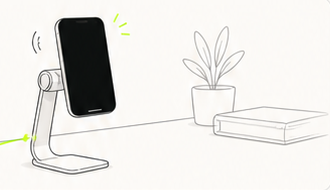
Respond to reminders in your own way
If Posturely notices significant head-down, forward-leaning, tilted, or changed posture, it can alert you with sound or vibration.
Best results
Keep your upper body in view.
Make sure the camera can see your head, shoulders, and upper torso throughout the session. Avoid placing the phone where books, a laptop screen, or other objects block the view.
Lighting, camera angle, clothing, and movement can affect detection. Posturely provides awareness-oriented reminders rather than medical measurements.
Available on iOS
Ready for your next focused session?
Use Posturely while studying, reading, or working and receive a reminder when your posture noticeably changes.